Passport Photo Requirements 2026: Avoid the #1 Rejection
Passport photo requirements are strict — State Dept rejects ~20% of photos. Get the exact 2x2 specs, common mistakes, and how to take a compliant photo at home.
TL;DR
Passport photos must be 2x2 inches, taken within the last 6 months, against a white or off-white background, with your face filling 50–69% of the frame. No glasses since 2016. The State Department rejects roughly 20% of submitted photos — usually for fixable, predictable reasons.
At a glance
- Photo size: 2x2 inches (51x51 mm)
- Head height: 1 to 1.4 inches (50–69% of frame)
- Background: white or off-white only
- Recency: taken within the last 6 months
- Expression: neutral or natural closed-mouth smile
- Glasses: not allowed (since November 2016)
- Source: travel.state.gov photo requirements
Why photos cause so many rejections
The State Department processes millions of passport applications every year. Photo quality is the single most common reason applications get returned. A returned application isn’t a denial — you get another shot — but it adds two to four weeks to your timeline and, in some cases, forces you to reschedule travel.
Most photo problems are avoidable. The rules haven’t changed dramatically in years; they’re just more specific than most people expect when they read the list casually.
The exact specifications, explained clearly
Size and head position
Your printed photo must be exactly 2x2 inches — this is non-negotiable. Within that 2x2 frame:
- Your head must measure 1 to 1.4 inches from the top of your hair (or head, if bald) to the bottom of your chin.
- That works out to your head occupying 50–69% of the total frame height.
- Center your face in the frame — equal margin on left and right.
- The photo must show the full face from the hairline to the chin. Don’t cut off the top of the head.
If you’re printing at home, use 300 dpi minimum. The State Department provides a free photo cropping tool on their website.
Background
Plain white or off-white only. No gradients, no walls with texture, no patterns. Shadows behind you will fail — make sure the light is in front of you, not behind. A plain white wall with a lamp or window facing you works well at home.
If the background shows through your hair or beside your face, it needs to be evenly white throughout. Bright outdoor backgrounds (even on a cloudy day) can blow out into white if you’re standing far enough from any wall.
Expression and eyes
You have two options:
- Neutral expression: mouth closed, relaxed face, looking directly at the camera.
- Natural smile: relaxed, closed-mouth smile is acceptable.
What’s not acceptable: mouth open, teeth visible, tongue showing, exaggerated expression, squinting, or anything that meaningfully alters your facial geometry.
Your eyes must be open and clearly visible. Contacts are fine as long as they don’t change your eye color or have a reflective lens pattern. Colored or tinted contacts that make your eyes appear significantly different from normal are not allowed.
Glasses — banned since 2016
The State Department updated its photo policy in November 2016: no eyeglasses of any kind in passport photos. This includes:
- Prescription eyeglasses
- Reading glasses
- Photochromic (transition) lenses
- Tinted glasses
- Sunglasses
If you normally wear glasses, remove them for the photo. If there’s a medical reason you can’t remove them, contact the National Passport Information Center before submitting.
Head coverings
Head coverings are not allowed in standard passport photos with two exceptions:
- Religious head coverings — a hijab, kippah, turban, or similar is permitted if worn daily for religious reasons. Your full face must still be visible.
- Medical head coverings — a wig or covering worn due to hair loss (chemotherapy, medical condition) is permitted. Include a signed statement from a doctor.
Hats, beanies, headbands, and decorative hair accessories that obscure the hairline are not allowed. Hair must be away from your face — the State Department recommends tucking hair behind your ears so the full facial outline is visible.
Lighting and print quality
- Even, diffuse lighting — avoid harsh shadows on your face or strong side lighting.
- No red-eye. If your camera creates red-eye, retake under better lighting rather than editing it out (photo editing is not permitted).
- Print on photo-quality paper, not plain copy paper. Drugstore photo kiosks (Walgreens, CVS, Walmart) produce acceptable prints for about $0.25–$0.50.
- No digital alterations — no brightness adjustments, no background replacement via photo editing, no blemish removal. Auto-cropping tools provided by the State Dept are fine; Photoshop tweaks are not.
The top 5 reasons photos get rejected
State Department return letters cite these most often:
- Head too small or too large — outside the 1–1.4 inch range in the 2x2 frame. The head-height rule trips up more submissions than any other.
- Background isn’t white — beige walls, gray offices, patterned curtains, and outdoor settings all fail. Off-white (pure cream) is fine; anything more than faintly tinted is not.
- Glasses still on — many people miss the 2016 rule change, especially if they’re renewing an old passport where glasses were previously allowed.
- Photo too old — a great photo from three years ago looks tempting to reuse. The six-month rule is strict.
- Shadows on face or background — usually caused by light coming from the wrong direction (behind you, or strongly from one side). Face the light source.
Taking the photo yourself: a step-by-step
You don’t need a professional photographer. Here’s what works:
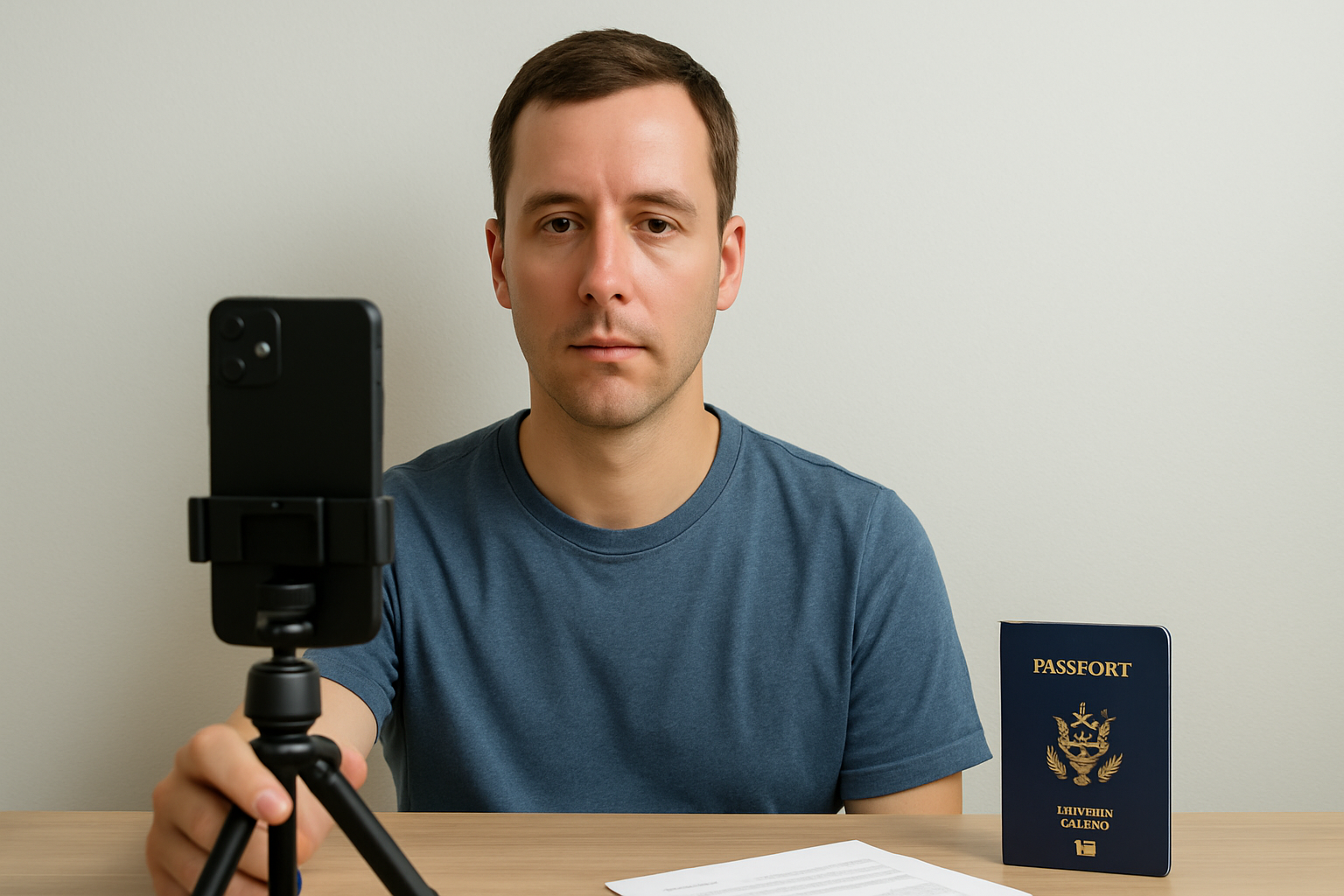
- Set up by a window during daylight (overcast is ideal). Stand with the window in front of you, not behind.
- Tape a white sheet to the wall behind you, or stand in front of a white interior wall with no texture.
- Use a tripod or prop your phone at eye level — selfie angle from above creates distortion.
- Remove glasses, tuck hair behind ears, wear a solid-colored top.
- Take 10–15 shots, then pick the sharpest one with even lighting and no shadows.
- Crop using the State Dept’s online tool or a passport photo app — aim for the head to fill 50–69% of the 2x2 frame.
- Print at 2x2 inches (300 dpi or better) at a drugstore kiosk or home photo printer.
If you use a professional passport preparation service, the photo review is typically included — a human checks for compliance before your application goes out the door.
Common pitfalls
- Wearing a white or off-white shirt against a white background. Your face can blend into the background at the edges. Wear a contrasting color on top.
- Taking the photo outside. Even a plain blue sky or white-gray sky background will fail.
- Using an old photo from a previous application. State Dept reviewers will notice if the photo doesn’t match a recent likeness.
- Printing on copy paper. The paper quality matters — glossy or matte photo paper only.
- Cutting the print incorrectly. The final image must be exactly 2x2 inches. Use a ruler and a sharp paper cutter.
What to do next
If your passport application is being rejected for photo issues, retake the photo following the checklist above — specifically the 50–69% head fill rule and the white background requirement. Those two specifications catch the majority of rejections.
If you’d rather hand off the whole process, start your application with egovrush and we’ll review your photo before anything is submitted. No guessing whether your 2x2 print is going to pass.
Frequently asked questions
Can I smile in a passport photo?
A natural, relaxed closed-mouth smile is allowed. A wide, teeth-showing smile that changes your facial geometry will fail. Neutral expression is the safest option.
Can I wear glasses in my passport photo?
No. The State Department banned eyeglasses from passport photos in November 2016. Remove all glasses — prescription, reading, or otherwise.
What background color is required?
Plain white or off-white (cream) only. No patterns, shadows, or colored backgrounds.
How recent does my passport photo need to be?
Taken within the last six months. A photo that no longer reflects your current appearance will be rejected even if it meets all technical specs.
Can I take my own passport photo at home?
Yes. You need a white background, good front-facing light, and a camera or modern smartphone. Print to 2x2 inches at 300 dpi.
What happens if my photo is rejected?
Your entire application is returned. You’ll need to submit a new compliant photo before the State Department will continue processing — which adds several weeks to your timeline.
Sources: Passport Photo Requirements — travel.state.gov, 2016 Photo Policy Update — travel.state.gov. Specifications verified April 2026.
Need help with your passport application?
We handle the form, photo check, and tracking. Pay only after eligibility is confirmed.
Related reading
Passport card vs book: the card costs less and fits in your wallet, but only works for land and sea travel. Here's which one you actually need in 2026.
Proof of citizenship for a U.S. passport: a certified birth certificate works for most people, but 4 other documents are accepted. Here's what the State Dept accepts.
DS-3053 is the notarized parental consent form required when one parent can't attend a child's passport appointment. Here's how to fill it out correctly in 2026.
Running out of passport pages? Since 2016 the State Dept stopped adding pages mid-term. You must renew for a new book — here's when to do it and what to request.